
One click, meaningful content.
Type
Figma Plugin
Tools
Cursor AI, Figma
Services
Low code No code platforms, Generative AI,
Project Overview
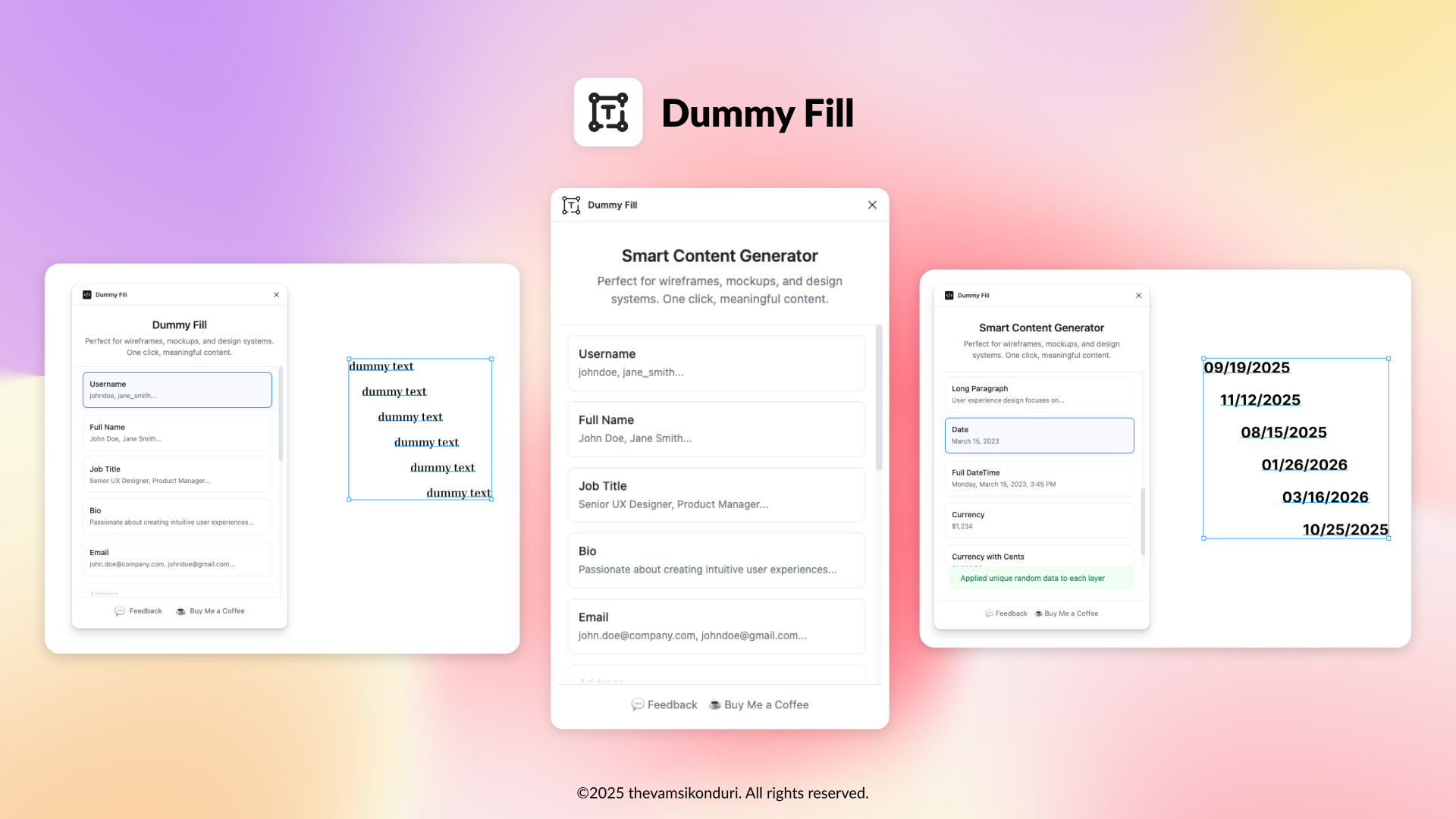
DummyFill is a AI powered Figma plugin designed to simplify the UI/UX design process by instantly generating realistic placeholder content such as usernames, full names, and job titles. It eliminates the repetitive task of manually entering data, empowering designers to build contextual mockups faster.
Goal
Designers often rely on generic “Lorem Ipsum” or manual text inputs during wireframes and mockups, which:
- Slows down the design process
- Lacks realism for stakeholder demos
- Breaks consistency across components
💡 Solution
I built DummyFill to auto-generate smart dummy content directly inside Figma. With one click, designers can:
- Apply realistic usernames (with or without separators)
- Generate job titles relevant to their UI flows
- Used a neutral, friendly color palette to promote inclusivity and reduce visual fatigue
The plugin uses context-aware logic and minimal UI to ensure a frictionless design experience.
🛠 Features
- 🔤 Username Generator (simple & with separator)
- 👥 Full Name Generator (First Last / With Middle)
- 💼 Job Title Generator (UX Designer, PM, etc.)
- ✅ One-click bulk apply to selected layers
- 🧠 Auto-generated unique data for every layer
Work Logs


Key Features
Randomized Layer Fill:
Apply unique content to each selected text layer—no duplicates, no manual editing.
Bulk Fill by Type:
Choose a content type (e.g., “Full Name”) and apply it to all matching layers in your design file in one click.
Smart Discovery:
AI-based recommendations for cohorts, jobs, and people.
One-Click Apply:
Select any number of layers and populate them with dummy data in one tap.
Smart Layer Detection:
Automatically detect layer names like email, username, or job_title and apply relevant dummy content—zero configuration needed.
Minimal UI:
A frictionless interface inspired by Figma’s native design—fast, clean, and intuitive.
Real-Time Preview:
See the generated content preview next to each type before applying it to your design layers.
Design & Development
- Platform: Figma Plugin (built using Cursor AI + React + Node.js)
- UI Design: Minimalist card layout, inspired by native Figma aesthetics
- Core Tech: JSON-based datasets, auto-apply logic, layer detection
- Accessibility: Clear text contrast and keyboard navigation supported
- AI Use: Optionally expandable with AI-generated content in future roadmap
Outcome
This tool has helped speed up my own wireframing process and improved the realism of designs shared with stakeholders. It’s lightweight, developer-friendly, and easy to integrate into any Figma workflow.
- Accelerated Design Workflows
- Improved Realism in UI Mockups
- Enhanced Collaboration
- Adopted Across Projects
- Frictionless Experience
- Future-Ready Architecture
- Positive User Feedback
Takeaways
- Design for Depth, Not Just Scale: Smaller, more relevant interactions often beat mass networking.
- Guided Onboarding Matters: A smooth first-time experience sets the tone for engagement.
- Cohorts Are the Future: People want to grow with others who understand their context.
- Keep UI Warm & Human: Especially for professional tools, emotional design builds trust and adoption.